A Question Log Needs a Next-Check Date
A question log next-check date helps you return to useful curiosities, choose a clear next action and avoid turning your notes into an overdue backlog.

You note that a local stream turns rusty after heavy rain, then the question disappears beneath newer entries. A question log next-check date gives you a specific moment to decide whether to return to it, rather than leaving the note to sink out of sight.
The date is not a deadline to solve anything. It is a prompt to check what you know, whether you still care, and what small action might move the question forward. Think of it like a mark on a kitchen calendar: it brings the subject back to mind without demanding an immediate answer.
Choose a date that matches the question
When you record a question, add a return date only if you have a reason to revisit it. A question sparked by a conversation may be worth checking while the details are fresh; one about seasonal change may make more sense after the relevant weather or event.
Use a calendar, task app or dated notebook page that you already look at. Write the date beside the question and state what to inspect. “Check stream question” is vague; “Return to stream colour question and look for local water-quality guidance” gives you a starting point.
Choose a date when you might have something new to notice or do. If you cannot name what could change by then, schedule a review to decide whether the question still belongs on your active list instead of setting a distant date without a purpose.
Keep the date connected to an action
A date on its own can become another reminder to dismiss. Pair it with one observable action, such as checking a reference book, asking someone to clarify a phrase, or looking for a specific detail on your next visit.
Say you notice that the old clock in a community hall is stopped whenever you pass. You write, “Why is the hall clock stopped?” and set a return for your next visit for an event. When the reminder appears, you look for a notice or ask an organiser whether the clock is decorative; either result gives you a clearer next decision.
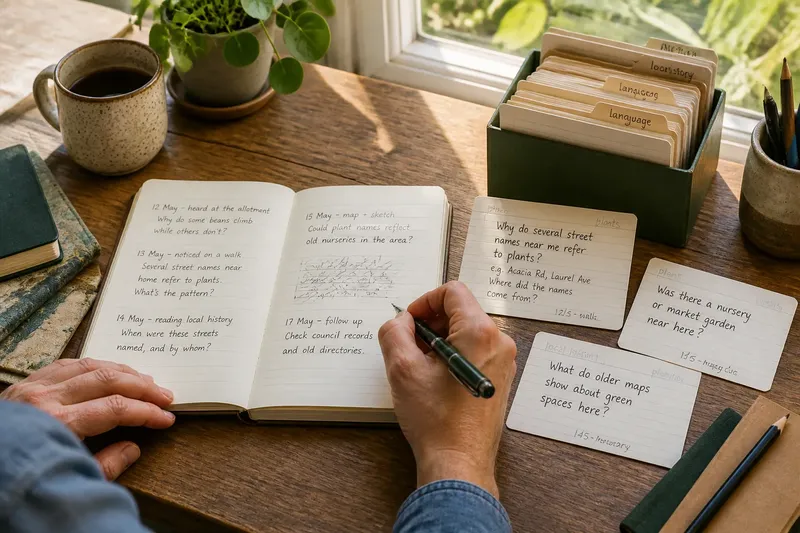
Keep the original observation beside the question. If the note returns months later, that detail helps you remember what prompted it and what you meant to find out.
Use a simple routine to revisit active questions
Try this routine with your existing log. It is a way to make return dates useful, not a requirement to schedule every passing thought.
- Record: Write the question and the observation or conversation that prompted it. If you can name what sparked it, keep that detail; if you cannot, leave the entry brief and consider whether it needs a date.
- Select: Read the new entries and choose the ones you genuinely want to revisit. If a question still has a pull, date it; if it does not, leave it undated rather than creating an obligation.
- Check: When a reminder arrives, reread the question and its context. If it remains interesting, choose a next action; if it has been answered or no longer matters, close it.
- Refine: If the wording is too broad, rewrite it as a smaller question. If you can identify a source or observation that could help, use that narrower version; otherwise, keep the question open and note what is missing.
- Reschedule: Set another date only when there is a clear reason to return. If you are waiting for an event, conversation or season, name it; if nothing specific is pending, review the question sooner or release it.
- Review: Scan the remaining dated entries together. If a reminder still supports a useful next move, keep it; if it has become administration without a reason to care, close it.
For each entry, the useful record is simple: the question, what prompted it, the next action and the date when you will reconsider it.
Decide what to do when a reminder arrives
Use the reminder to make one clear decision, rather than treating it as an order to research. These are sensible options:
- Continue: The question still interests you and a specific action is available. Do that action or set a date that gives you time to act.
- Refine: The question covers too much. Rewrite it so you can check it through a particular source or observation.
- Wait: The answer depends on a future event, conversation or season. Record what you are waiting for and choose a date tied to that trigger.
- Close: You have enough of an answer for your purposes, or the curiosity has faded. Note what settled it, then remove the reminder.
Closing a question is not a failure. Your log should help you notice where attention is going, not make every old entry compete indefinitely for a place in your week.
Prevent return dates from becoming a backlog
If several reminders arrive together, do not automatically move them all forward. Choose the questions that still deserve attention and give each a small action or a clear reason to wait. Close the others if they no longer interest you.
If a reminder repeatedly arrives before anything relevant could have changed, move it to a point tied to a likely new observation or event. If you keep postponing it because the question has lost its pull, close it instead of assigning another date out of guilt.
How should you set and manage return dates?
Should every question get a next-check date?
No. Date questions you have a genuine reason to revisit and leave casual notes undated. That keeps your log from becoming a calendar full of obligations.
How far ahead should the return date be?
Choose a date based on when you might have something new to notice or act on. If there is no clear trigger, choose an earlier review to decide whether the question still belongs on your active list.
What if you miss the date?
When you next see the reminder, decide whether the question remains relevant; do not recreate a string of overdue dates. Continue, reschedule for a specific reason or close it.
Can a question stay open for a long time?
Yes, if it continues to matter and you can say what might bring you back to it. Keep the original observation and a useful next action beside it so the question still makes sense when it resurfaces.
Adjust the routine before adding tools
After using the routine, notice whether dates helped you return to questions or merely added notifications. If reminders are easy to overlook, put them where you already check your plans; if they feel intrusive, date fewer questions or review them together at a time that suits you.
A question log next-check date works best when it reconnects a question with a reason to care and a manageable next move. Keep the wording plain, the action small and the return date tied to a moment when you can pay attention. When you set a date, name what you will decide at that review; that makes the reminder useful even if the answer is still out of reach.